How to Never Lose Your Recipes, App Shutdowns Included
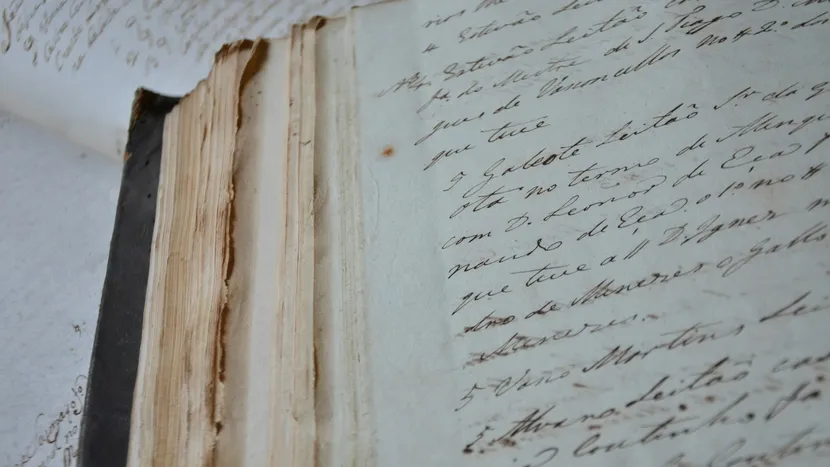
Almost nobody loses a recipe collection to a dropped phone. That is the failure people prepare for, and it is the least likely one.
Collections go in quieter ways. A service closes with ninety days’ notice. A subscription lapses and the recipes are still visible but no longer editable. An email address changes and the account cannot be recovered. Or, most commonly of all, the links you saved simply stop resolving, one at a time, over four years, and you do not notice until the night you want that specific pasta.
Here is each way it happens, and what makes you immune to it.
1. You saved links, not recipes
The most common by a wide margin, and the least recognised.
A bookmark, a Pinterest pin, an Instagram save, a message from your sister with a URL in it. None of these contain a recipe. They contain the address of a recipe on somebody else’s website, and you are relying on that person to keep paying for hosting, keep the URL unchanged, and stay in business.
Blogs get abandoned. Sites reorganise and break their own URLs. Posts go behind newsletter walls. Creators delete old content. Instagram posts vanish when an account goes private or is deleted. The pin survives as a photograph of a thing you can no longer make, which is somehow worse than nothing.
The fix. Save the ingredients and the method as text you hold, not the address where they currently live. If a recipe matters to you, the words need to be in your possession.
2. The service closed
Software companies shut down, get acquired and folded into something else, or quietly stop being maintained. Google closed Reader with a few months’ notice and a lot of people learned then that their reading lists were not theirs.
The recipe category is not exempt. Any app you are using today might not be here in five years, including mine.
The fix. Before you commit years of collecting to something, find out whether you can get everything out of it in one file, today, without asking anyone. If you can, a shutdown is an afternoon of annoyance. If you cannot, a shutdown is the collection.
3. You stopped paying
A specific and underrated one. Some services keep your data visible on a free tier but read-only, or cap you below what you already have, or lock export behind the subscription you just cancelled.
That is not the same as losing it, but it is a long way from owning it, and it means the price can rise later against a hostage.
The fix. Ask the awkward question early: what happens to what I have already added if I stop paying? The answer should be that you keep it and can take it with you.
4. The account was the weak point
An account is another thing that can be lost. An email address you no longer control, a password with no recovery path, a social login you deleted, a company that cannot verify you are you.
The recipes are intact on a server somewhere and you cannot reach them, which is functionally identical to losing them.
The fix. Prefer storage that does not depend on a separate account you have to maintain, or make sure the recovery path is one you actually control and have tested.
5. Sync was mistaken for backup
This one catches careful people.
Cloud sync keeps your devices identical. That is its job, and it does it faithfully in both directions. Delete a recipe on your phone and sync will dutifully remove it everywhere, immediately. Corrupt something and it propagates.
Sync protects you from a broken phone. It does not protect you from a mistake, and mistakes are more common than broken phones.
The fix. A backup is a copy that does not change when the original changes. That means a file, sitting somewhere the app cannot reach, from a known date.
6. It was only ever on paper
Handwritten cards and cookbook margins are the collection most worth protecting and the one most exposed. Paper burns, floods, fades, and gets thrown out by someone tidying up who did not know.
There is no version of this where the paper survives indefinitely, and the recipes people care most about are almost always the ones in a relative’s handwriting.
The fix. Photograph them, then get them into text as well, because a photograph of faded pencil is only readable while it is still readable. There is a longer piece on saving handwritten family recipes before they fade, including what to do with the originals afterwards.
The three questions to ask about any app
Whatever you use, including mine, these decide whether the collection is really yours.
Can I export everything into one file, right now? Not “contact support to request your data”. Not one recipe at a time. Everything, in one action, including the photos.
Where does the data physically live? On the company’s servers, or in cloud storage that belongs to you? The difference matters most on the day the company changes.
What happens if I stop paying? You should keep what you already have, and keep the ability to take it elsewhere.
If any of the three answers is unclear or requires trust, treat the collection as borrowed.
What I do about it, including the awkward part
I make AnyRecipe, so the honest thing to say is that it is an app and apps end. I cannot promise otherwise and neither can anyone else.
What I can do is make that not your problem, which is why it is built this way:
Your recipes are not on my servers. They sync through your own private iCloud. That is your storage, under your Apple account, which means I could disappear entirely and the data would still be sitting where it always was. It also means I cannot read your cookbook, which is a side effect I am happy with.
There is no account. No sign up, no password, nothing to lose access to, nothing for me to lock you out of.
You can export the whole thing to one file. Every recipe with its photos, in a single file, in one action, and you can put it in Files or iCloud Drive or a cloud service or email it to yourself. The same file imports back. That is a backup you own and it works whether or not I am still here.
Doing that once a year takes a minute and makes every scenario on this page survivable.
What to do this week
Get a file. Whatever app or system you use, produce a single export of everything and put it somewhere unrelated to that app.
Then check your links. Pick five recipes you saved as URLs more than two years ago and open them. However many are dead is your loss rate, and it is a rate, not an event.
Anything still alive that matters to you, turn into text you hold. The ways to organise recipes digitally compares where to put them, and the difference between an option that holds the recipe and one that holds a pointer to it is most of what separates the good ones from the bad ones.
Frequently asked
What happens to my recipes if a recipe app shuts down?
It depends entirely on where the recipes were stored and whether you can get a file out. If they lived on the company's servers with no export, they go with the company. If they live in your own cloud account or you hold an export file, a shutdown is an inconvenience rather than a loss.
How do I back up my recipes?
Get a single file containing all of them, and keep a copy somewhere the app cannot reach: Files, iCloud Drive, a cloud folder, or emailed to yourself. Do it once a year and after any big addition. Cloud sync is not a backup, because it faithfully syncs a deletion too.
Is saving recipes to Pinterest or bookmarks safe?
No, and this is the most common way collections quietly disappear. You are not saving the recipe, you are saving a pointer to someone else's page. When that page moves, gets paywalled or goes offline, the recipe is gone and the pin remains as a picture of it.
What should I check before committing my collection to an app?
Three things: can you export everything into one file today, where does the data physically live, and what happens to your recipes if you stop paying. If any answer is unclear, the collection is not really yours yet.